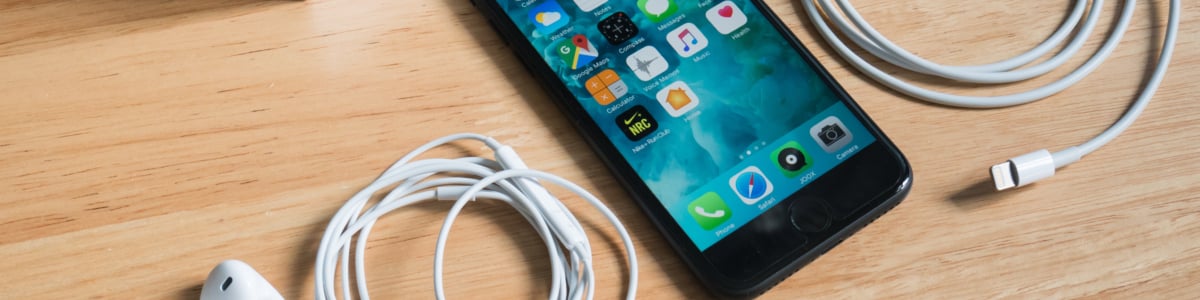
How to factory reset an iPhone without a password: the methods for resetting your iPhone
Have you forgotten your passcode, or does your iPhone say it is disabled? There are several ways to factory reset it even without the passcode, and which one to use depends on what you have: the previous passcode, a Wi-Fi or cellular connection, a computer or access to iCloud. A factory reset erases all the data on the device, so it is also the right step before selling or giving away your phone. If that is your case, you will find all the details in our guide on how to sell your phone.
Before you start
The reset erases all the content on your iPhone and cannot be undone. If you have a recent backup on iCloud or on your computer, you can restore your data when it finishes. You will also need the Apple Account and password linked to the device: without them, the phone stays protected by Activation Lock after the reset.
Method 1: use your previous passcode
If you changed your passcode less than 72 hours ago and your iPhone runs iOS 17 or later, you can still use the old passcode to get in. Enter a wrong passcode on the Lock Screen until the “iPhone Unavailable” screen appears (it appears after five incorrect attempts), tap “Forgot Passcode?”, then “Enter Previous Passcode” and choose a new passcode. The “Forgot Passcode?” option only appears if the iPhone has a Wi-Fi or cellular connection, you are signed in with your Apple Account and Find My is turned on. It is the quickest solution because it does not erase any data.
Method 2: reset directly from the iPhone
With iOS 15.2 or later you can reset the phone without a computer. You need a Wi-Fi or cellular connection, Find My turned on on the device, and your Apple Account password.
- Enter the wrong passcode several times until the “iPhone Unavailable” or “Security Lockout” screen appears.
- Tap “Forgot Passcode?” at the bottom, then “Start iPhone Reset”.
- Enter your Apple Account password to sign out of the account.
- Tap “Erase iPhone” to confirm. On iOS 17 and later you are asked whether to keep or delete the eSIM; on iOS 15.2 and 16 the “Erase” option appears directly.
- Wait for the process to finish and set up the iPhone as new, or restore a backup.
Method 3: use a computer and recovery mode
If the iPhone has no connection or the previous method is not available, you can use a Mac or a Windows PC. On a Mac you need the Finder; on Windows, the Apple Devices app (or iTunes on older versions).
- Turn off the iPhone and connect it to the computer with a cable, holding the right button for your model: on models with Face ID, iPhone 8, iPhone 8 Plus and iPhone SE (2nd and 3rd generation) the side button; on iPhone 7 and 7 Plus the Volume down button; on iPhone 6s and earlier and on iPhone SE (1st generation) the Home button.
- Keep holding the button until the recovery mode screen appears, with the computer symbol.
- On the computer, select the iPhone in the Finder or in the Apple Devices app and, when asked, choose “Restore”.
- Wait for the computer to download the software and complete the restore. If the download takes more than 15 minutes and the iPhone exits recovery mode, repeat the procedure from the beginning. The whole process can take up to 60 minutes.
Method 4: erase the iPhone from iCloud
If Find My was on, you can also erase the device remotely, from another phone, a computer or the iCloud website. Sign in with your Apple Account, open Find My, select the iPhone and choose “Erase This Device”. The reset starts as soon as the iPhone connects to the internet.
After the reset
Once the procedure is complete, the iPhone starts again as new. While setting it up you can restore an iCloud or computer backup, or start from scratch. If you are selling the phone, do not complete the setup: turn the device off and hand it over as it is, so that the next owner can activate it with their own Apple Account.
Official Apple sources
To check the most up-to-date steps you can consult Apple’s guides: use your previous passcode, reset your iPhone if you forgot your passcode and use recovery mode with a computer.
Related posts


Recent posts