Planning an iPhone upgrade this Black Friday? Here’s what to check
By Antonio Cucurachi · 12/10/2026
Black Friday is almost here. Before you add anything to your basket, take five minutes to see what your iPhone is actually telling you.
Signs your iPhone is ready for an upgrade
An upgrade doesn’t have to mean the newest model. For many of us, it’s about getting an iPhone that fits how you actually use it, at a price that works for your budget. That said, if two or more of these sound familiar, it’s worth looking at your options.
1. You’re charging more than once a day
If your iPhone is falling victim to ‘low battery’ by lunchtime, start here. Go to Settings > Battery > Battery Health & Charging.
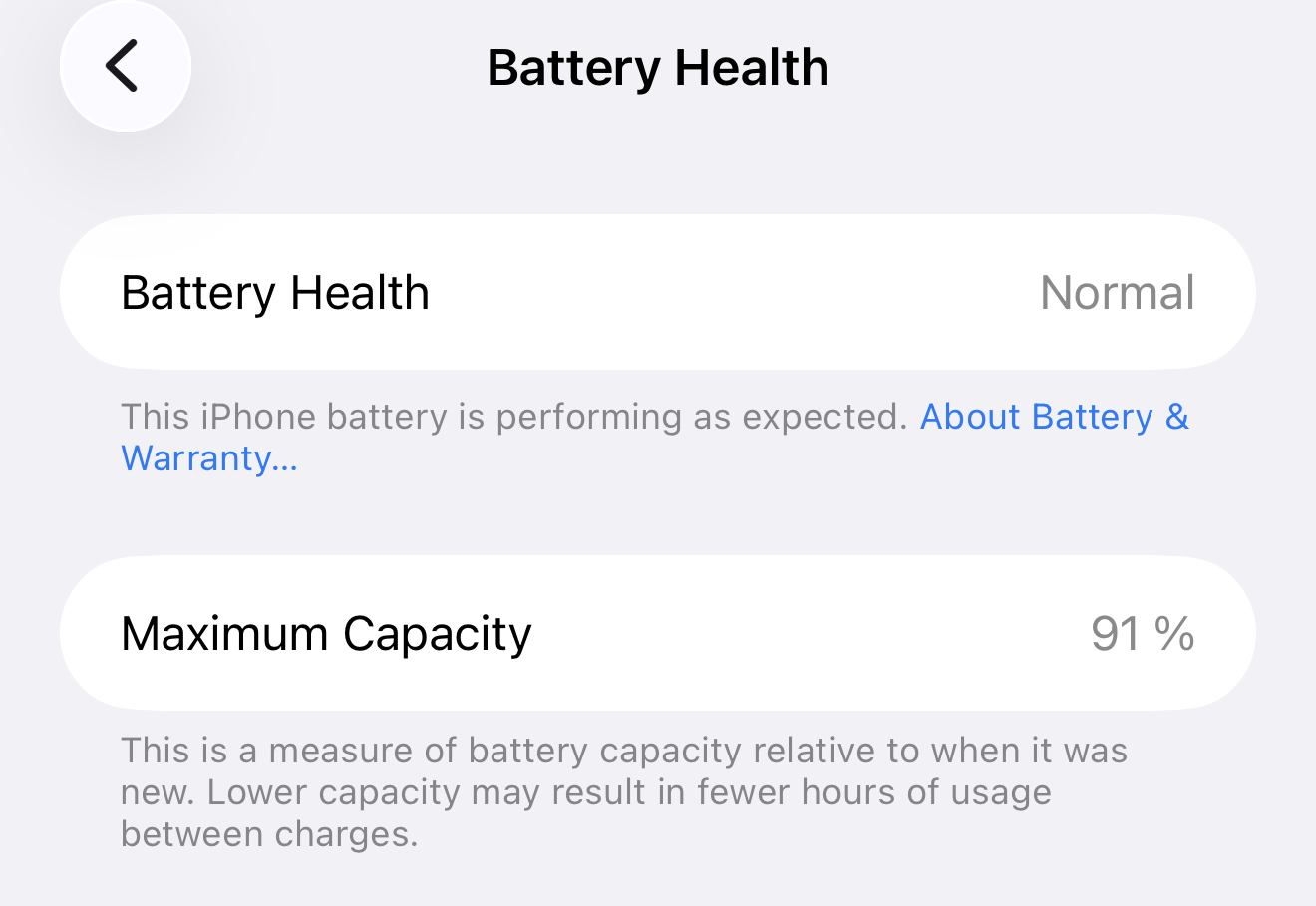
Maximum Capacity shows how much charge your battery holds compared with when it was new. If it’s dipped below 80%, that’s likely why you’re always looking for a charger.
Apple says iPhone batteries are “designed to retain 80 percent of their original capacity” after 500 complete charge cycles under ideal conditions, or 1,000 cycles for iPhone 15 models and later (Apple Support).
2. It can’t run the latest iOS
If the latest iOS won’t install, your iPhone has reached the end of Apple’s support. That means no new features, and no new security fixes either. Apple keeps most iPhones updated for several years (link: how long Apple supports an iPhone), and then the updates stop. To check, go to Settings > General > Software Update.
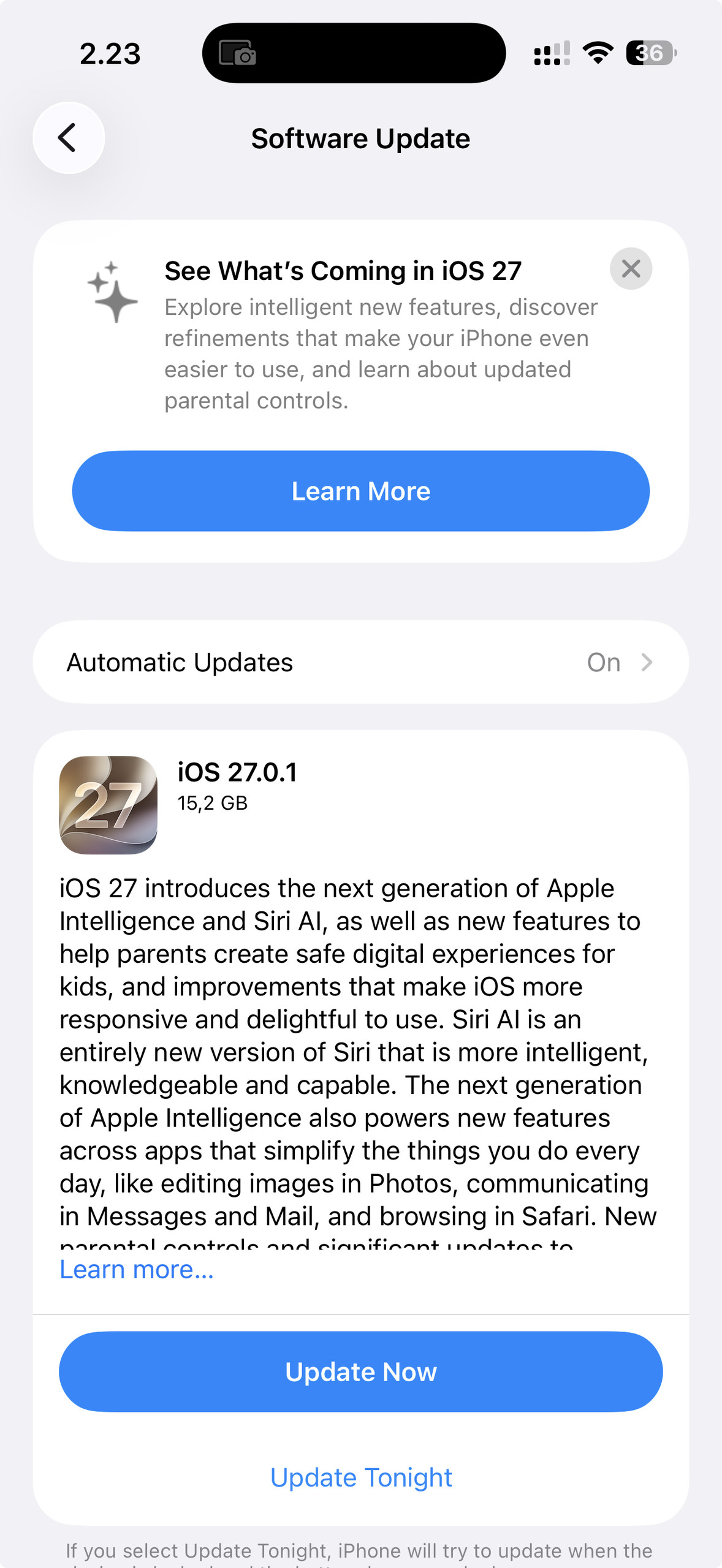
This one’s worth checking on every iPhone in the house. Older phones are usually the ones handed down to kids or parents, and they’re often the first to fall behind.
3. Storage is always full
If you’re deleting photos just to update an app, you’ve outgrown your storage. When you upgrade, pick a capacity that matches how you actually use your phone. To check, go to Settings > General > iPhone Storage. Someone who shoots a lot of video needs more than someone who mostly texts and scrolls.
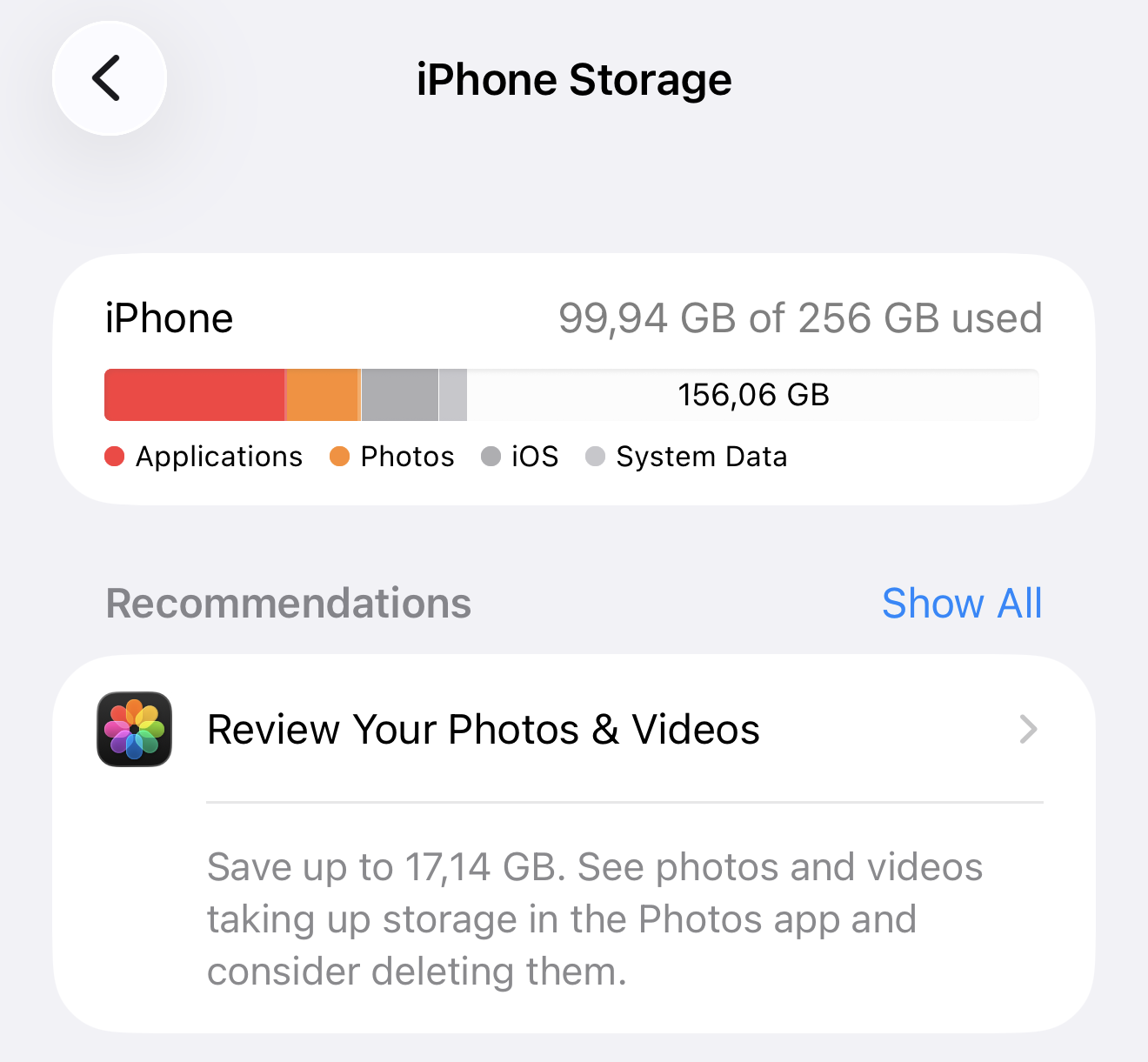
4. Apps feel slow
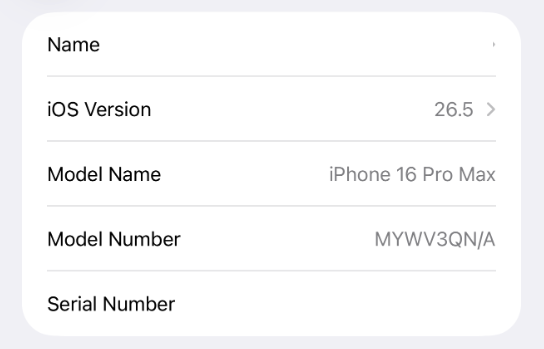
If apps take ages to open or freeze mid-scroll, your iPhone’s chip may be struggling to keep up. Newer apps and iOS features are built for newer chips. Your iPhone doesn’t show its chip in Settings, but you can work it out in two steps:
- Go to Settings > General > About > Model Name to see which iPhone you have.
- Find that model on Apple’s Identify your iPhone model page and open its tech specs to see the chip.
How Swappie helps you plan it
Ticked a couple of boxes? A few things are worth sorting before Black Friday arrives.
Trade in your current iPhone
Your old tech still has real value. Sell it to us and put the trade-in value towards your next device. Before it goes anywhere, your data is wiped securely, so nothing personal leaves with it.
Find out what your iPhone is worth
Join the newsletter
Be first to hear when Black Friday starts. Personally, I’d rather get one email than refresh the site all week.
Sign up to the Swappie newsletter
Set a Safari alert
On iOS 27, Safari’s Notify Me lets you follow a page and get an alert when it changes. Open the Swappie page for the iPhone you’re eyeing and turn it on.
Whatever you decide this Black Friday, pick the iPhone that suits how you use it, even if that isn’t the newest one. Great tech, handled by the experts.
Antonio Curachi, Social Media Manager at Swappie